Customize the file list in OpenCloud
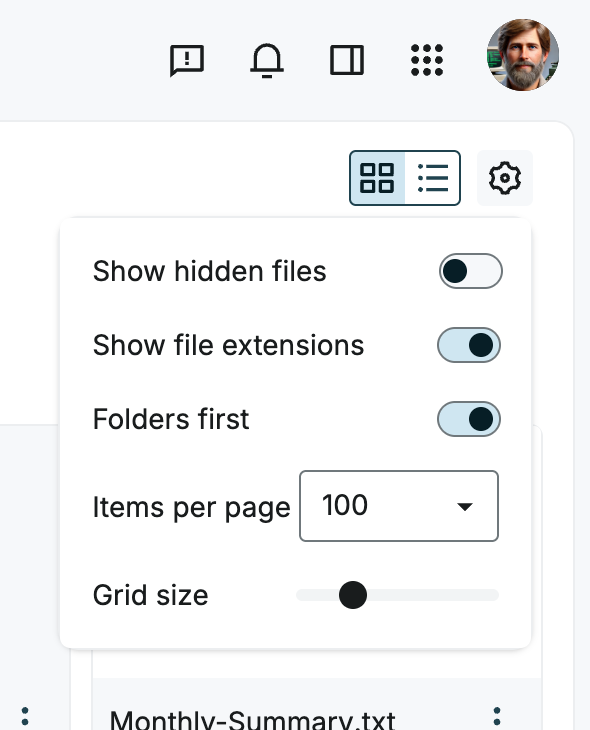
Select the settings icon on the right side of the file list to open the display options.
Available options
-
Show hidden files
- Activate or deactivate the display of hidden files.
- Hidden files are often system or configuration files.
-
Show file extensions
- Choose whether file extensions, such as
.docxand.jpg, are displayed after file names. This makes file types easier to identify.
- Choose whether file extensions, such as
-
Folders first
- Choose whether folders are displayed before files.
-
Items per page
- Choose how many files and folders are displayed per page.
- This is useful when navigating folders with many items.
-
Grid size
- Use the slider to adjust the size of tiles in Grid view.