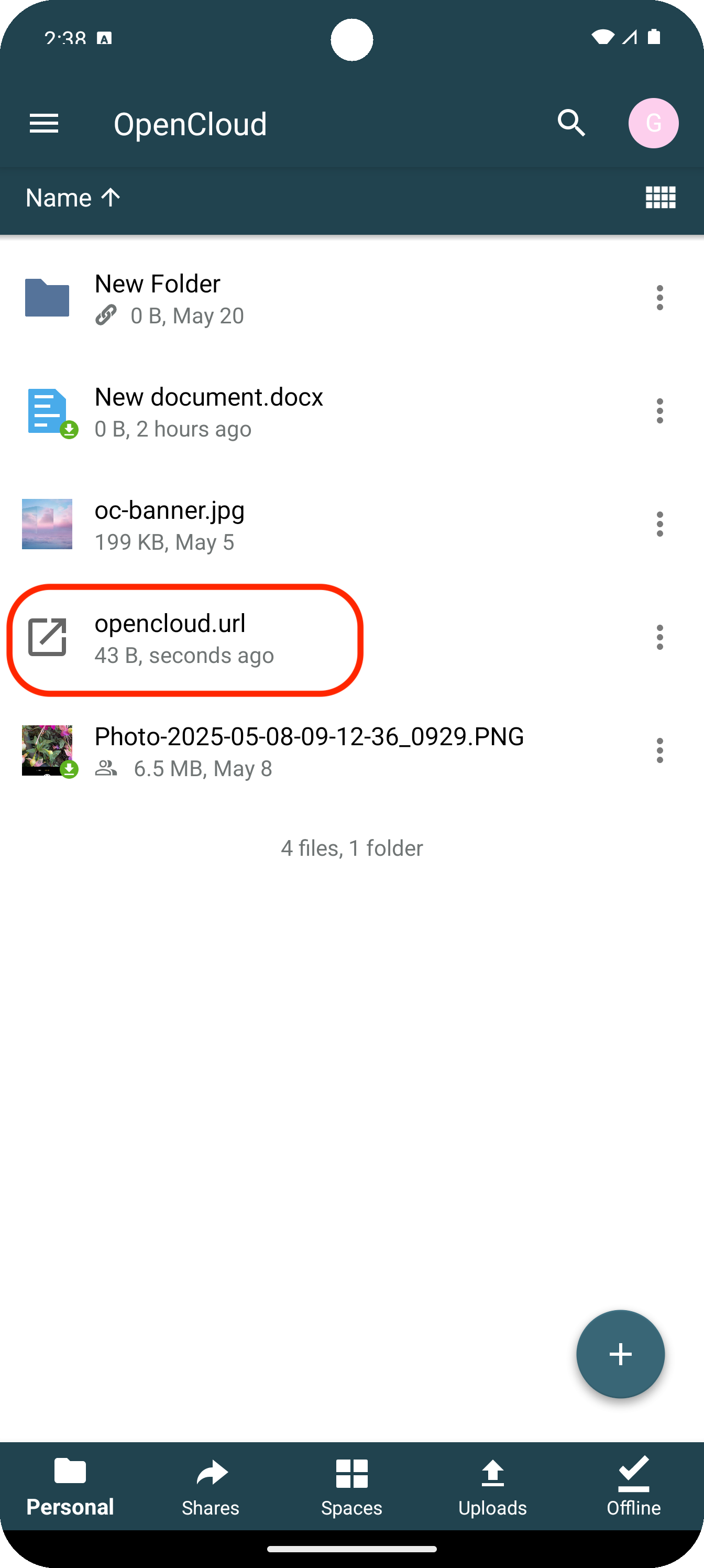
Shortcut in the OpenCloud Android app
Here we show you how to create shortcuts in the Android app
Plus symbol
Click on the "Plus symbol" and select "New Shortcut"
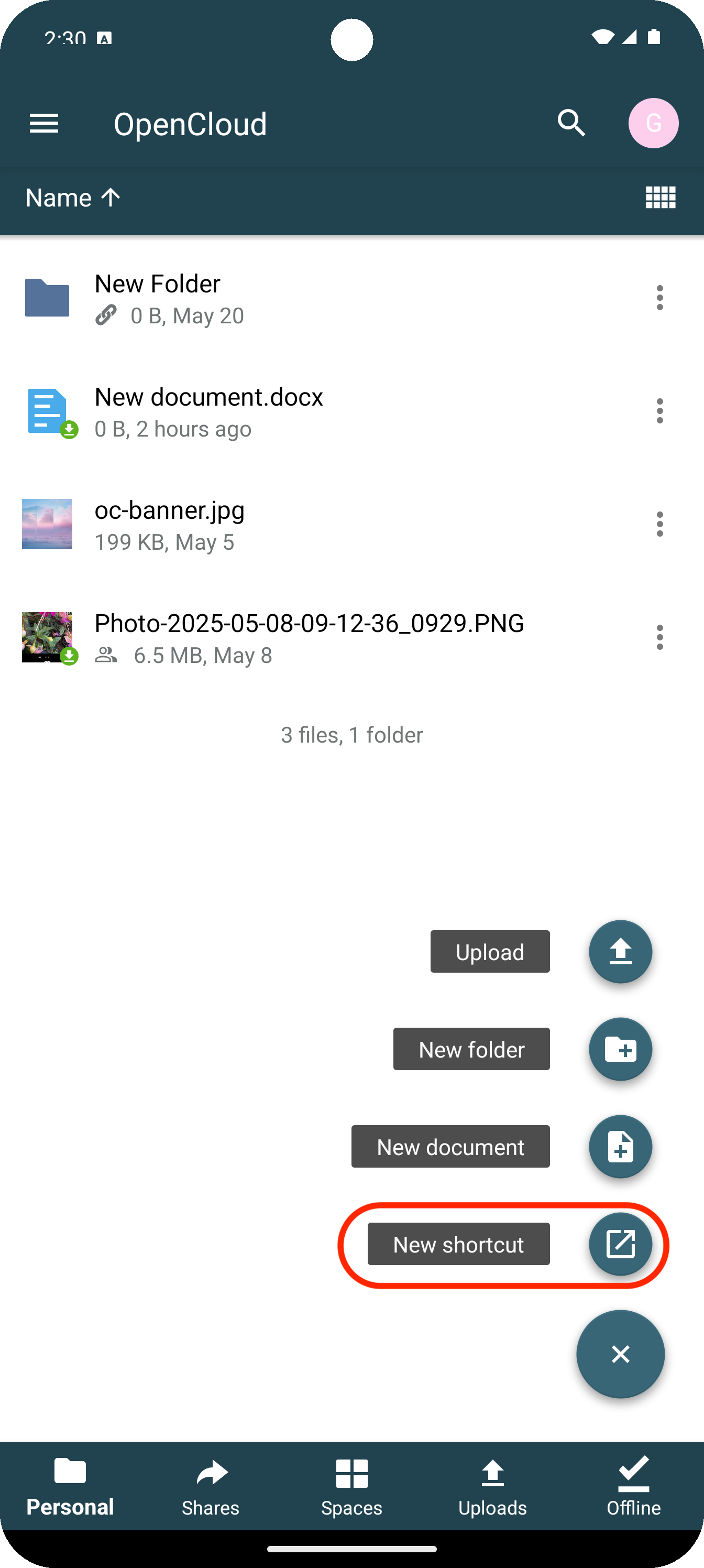
Shortcut menu
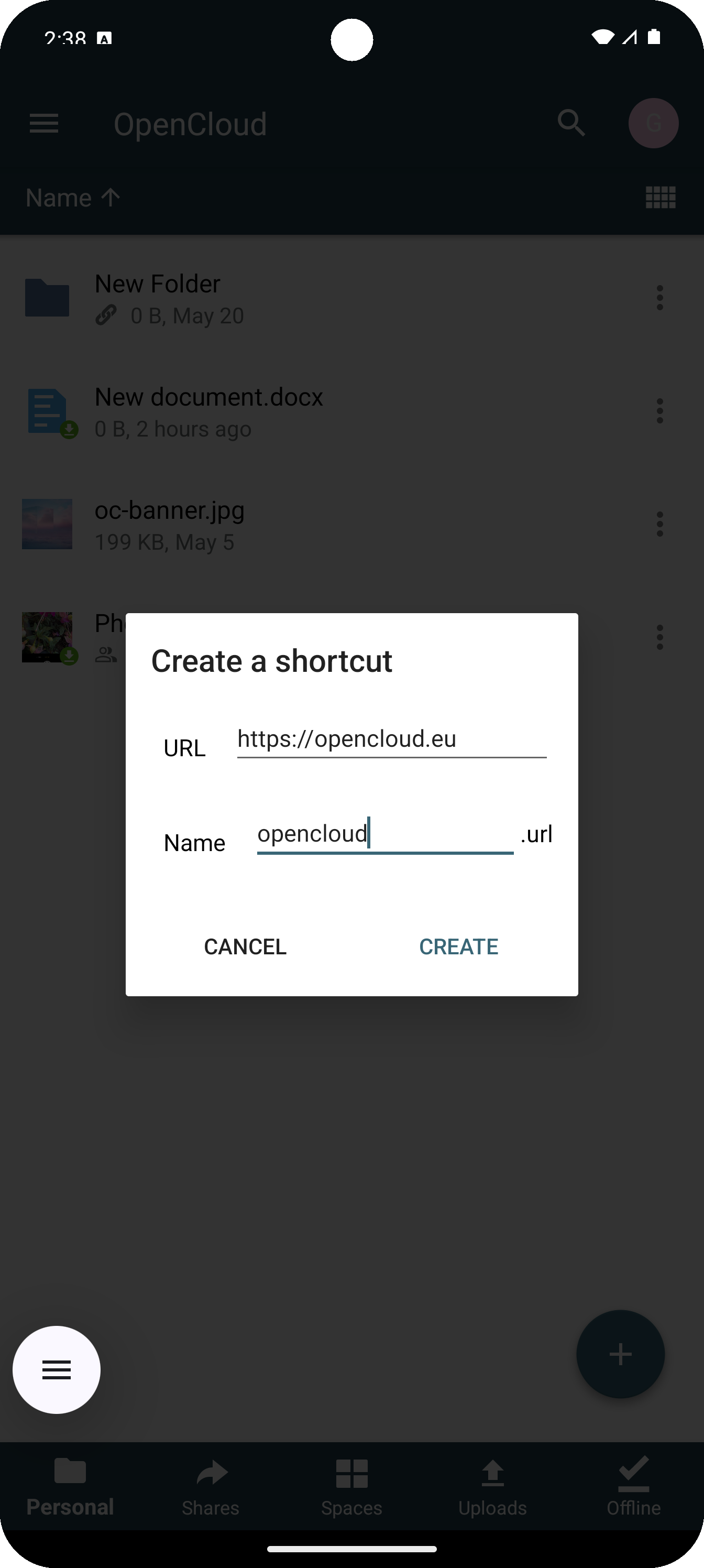
A menue opens with options for shortcuts
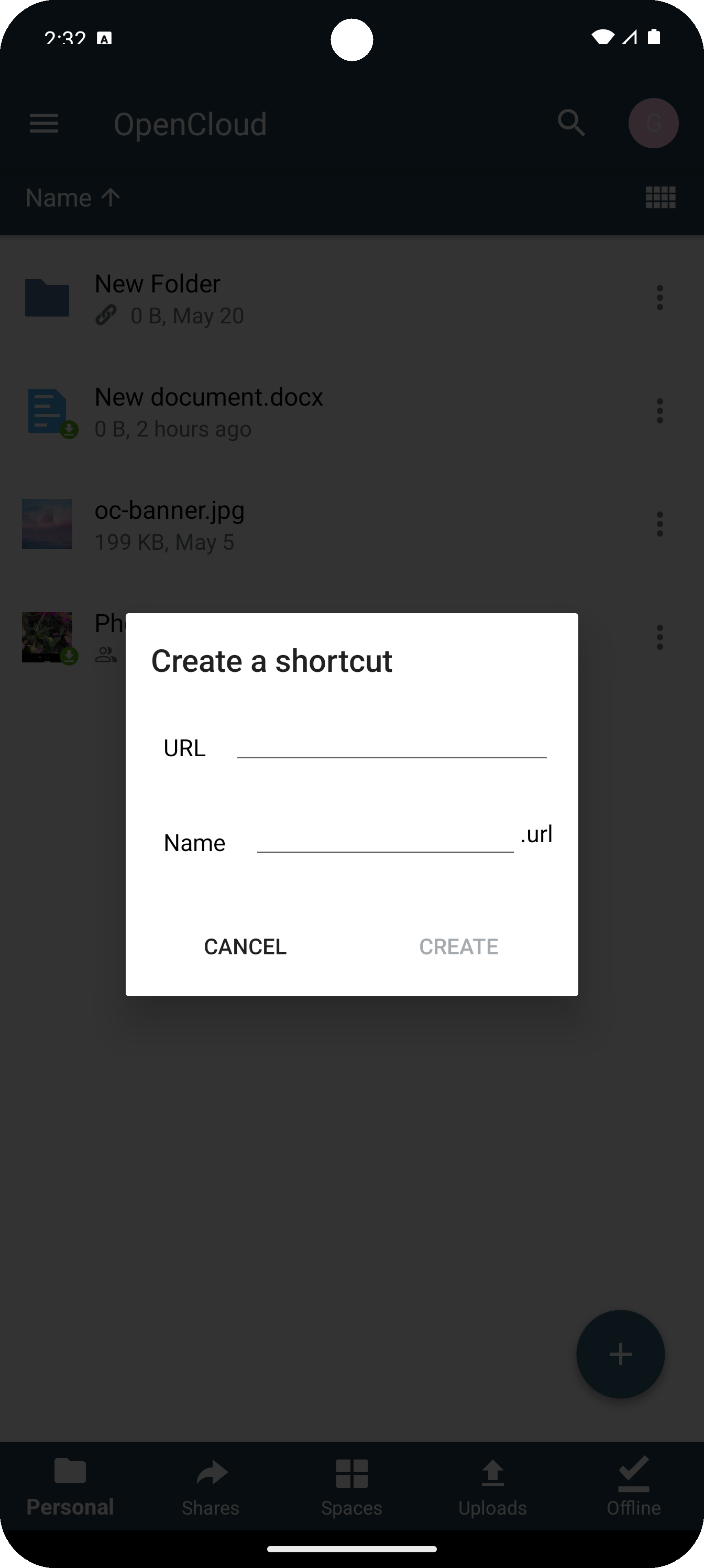
Enter URL
To create a shortcut to a website, enter the address of the website under "URL"
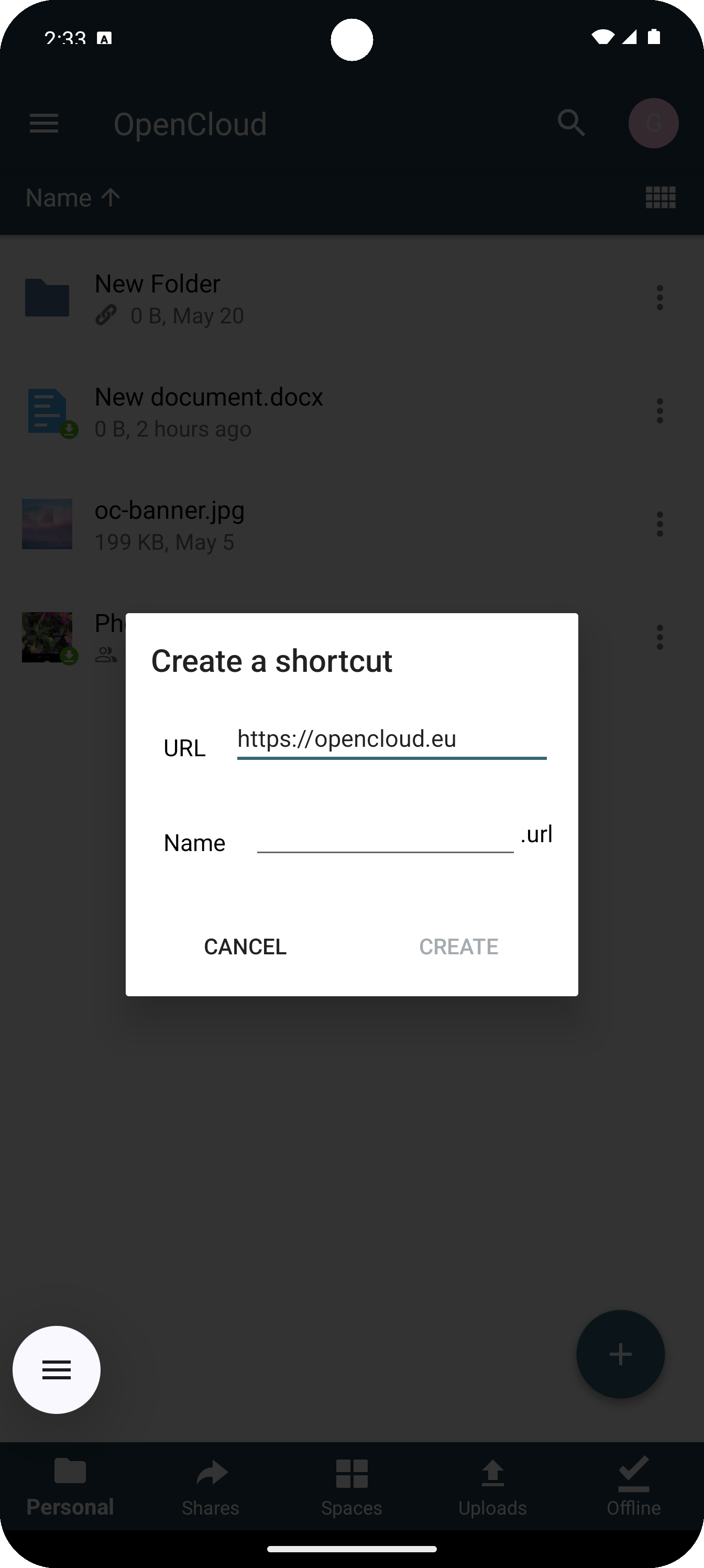
Enter Shortcut name
Here you enter a name for the shortcut with which it will be displayed
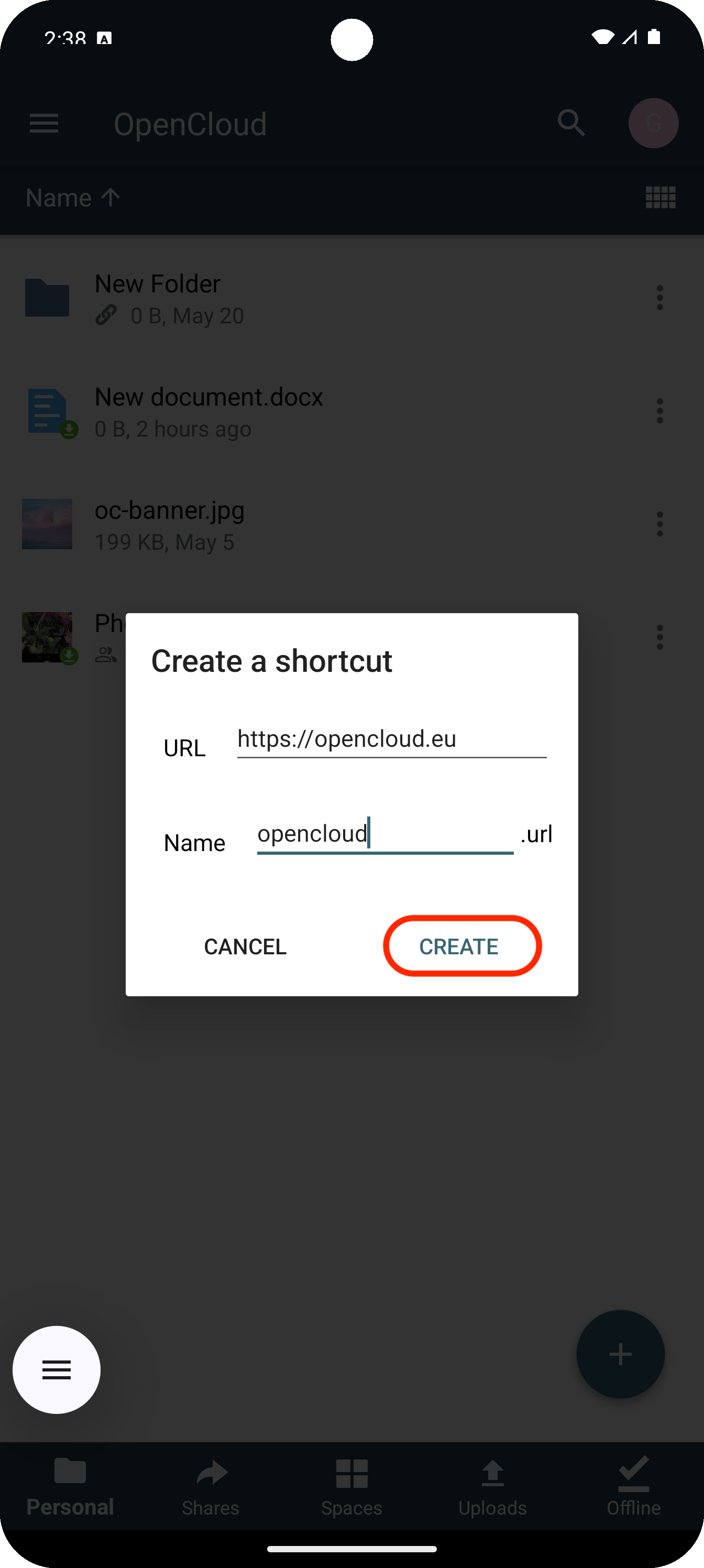
Create button
To create the shortcut, click on "Create"
Created shortcut
Your created shortcut is now displayed and can be used