Settings
In the iOS app settings changes can be made, such as
- User interface
- Data usage
- Advanced settings
- Media files and more
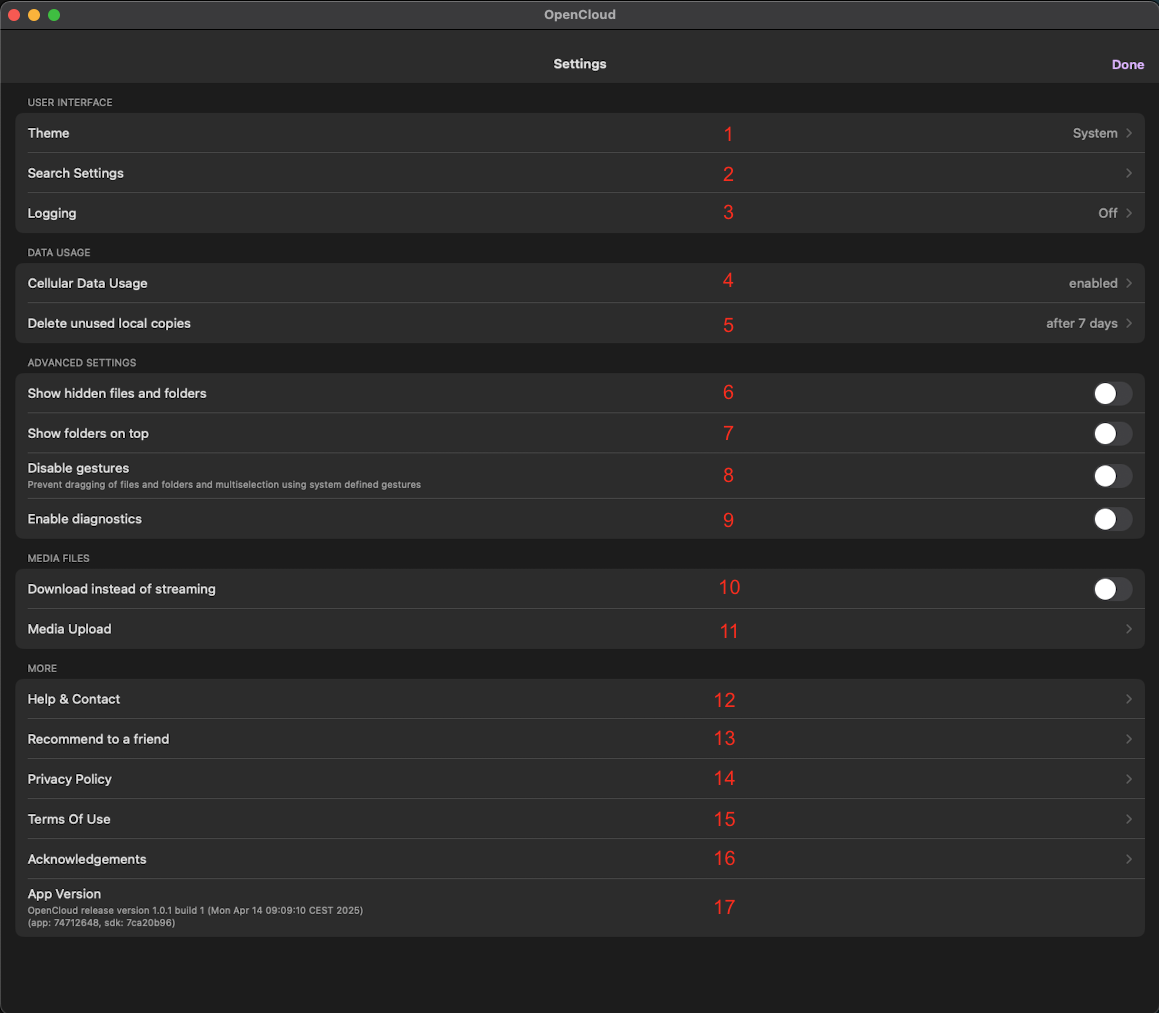
Userinterface
1. Theme
Here you can choose whether you want to run the app in "light mode" or "dark mode".
2. Search Settings
Here you can specify where the search function should operate:
- Folder
- Tree
- Space
- Account
- Server
3. Logging
Here you can activate and deactivate the logging function and specify the storage location of the log file.
Data Usage
4. Cellular Data Usage
Here you can set whether the app can be used with cellular data or not.
5. Delete Unused Local Copies
Here you can specify when unused local copies should be deleted.
Advanced Settings
6. Show hidden files and folders
Here you can enable or disable the display of hidden files and folders.
7. Show folders on top
Here you can set whether the folders should be displayed before the files in the list view.
8. Disable gestures
Here you can disable gesture control to prevent multiple selection and dragging of files and folders.
9. Enable diagnostics
Here you can select whether the app is allowed to run diagnostics in the background.
Media Files
10. Download instead of streaming
Here you can set whether a file should be downloaded directly or streamed.
11. Media Upload
Here you can set whether certain files should be converted when uploading, such as HEIC to JPEG.
More
12. Help And Contact
Here you will find links to our documentation page and help links.
13. Recommend To A Friend
Here you can forward a link to download the iOS app.
14. Privacy Policy
A full entry on our privacy policy can be found here.
15. Terms Of Use
You can find a full entry on our terms of use here.
16. Acknowledgements
Parts of the app may use copyrighted material, which is acknowledged here.
17.App Version
Here you can see which app version is being used.