Announcement Banner
OpenCloud 7.4.0 includes an announcement banner feature.
Administrators can use the announcement banner to notify all users about important information, for example upcoming maintenance windows, service interruptions, or other system-wide announcements.
The banner is displayed at the top of the OpenCloud web interface.
Open Admin Settings
To configure the announcement banner, open the Admin Settings app.
- Click the app switcher icon in the top-right corner.
- Select Admin Settings.
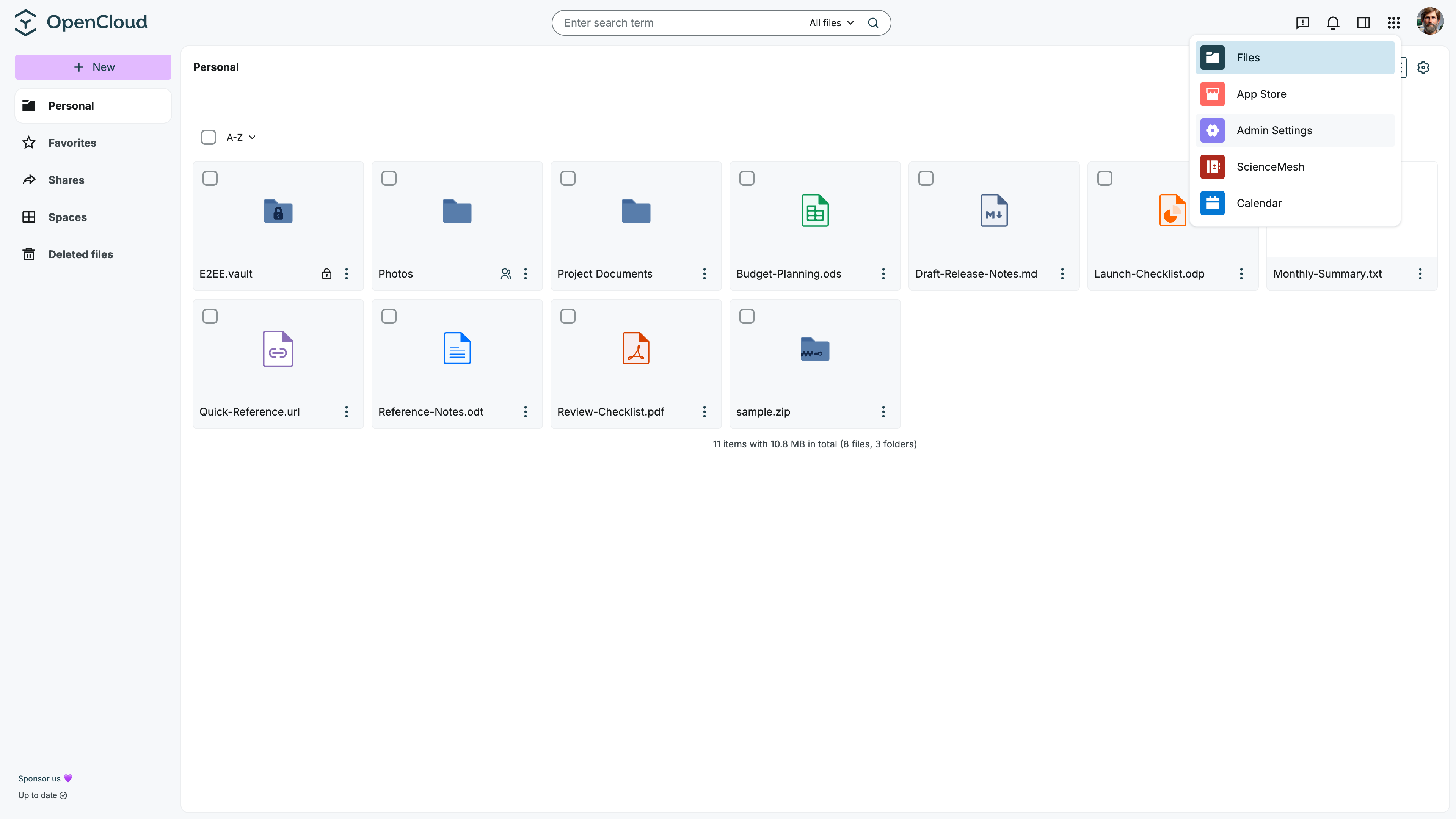
Configure the announcement banner
In Admin Settings, open the General section.
In the Announcement banner area, you can configure the banner that will be shown to users.
- Enable Show banner.
- Enter a short title in the Banner field.
- Optionally, enter additional message text in the Banner details field if you want to provide more information.
- Click Save.
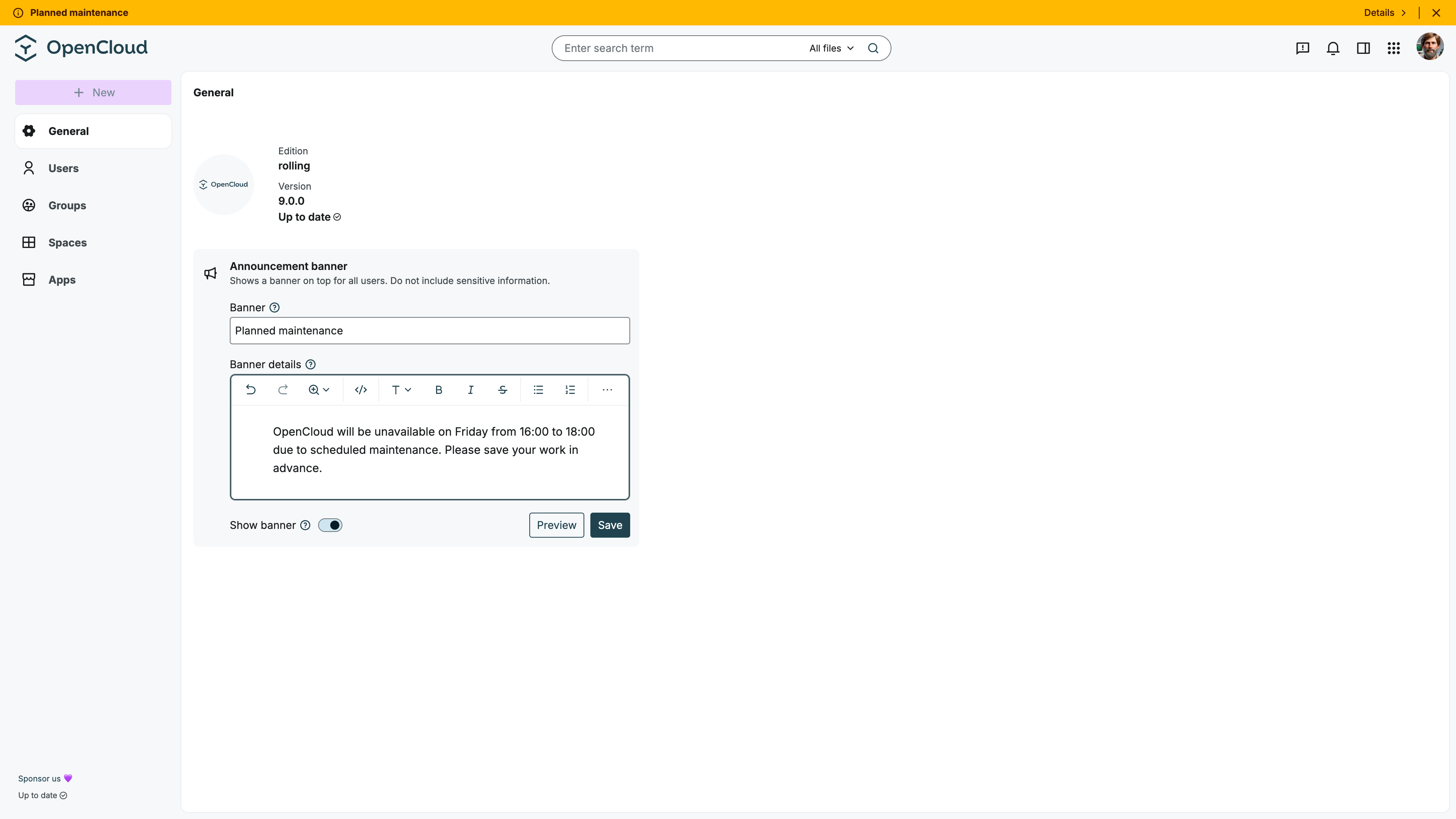
The announcement banner is visible to users. Do not include sensitive information such as passwords, access tokens, private URLs, or confidential internal details.
Preview the banner
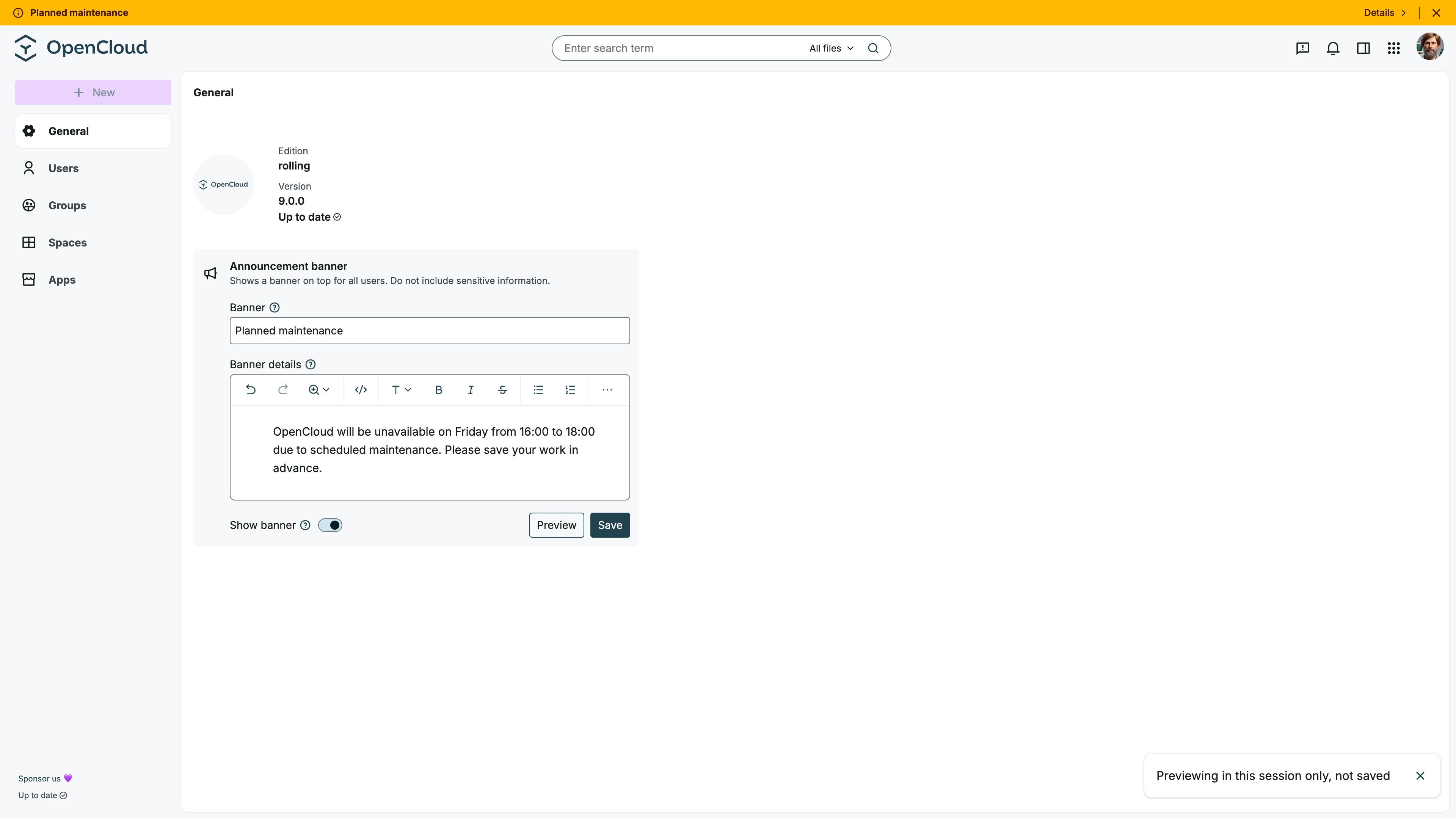
Before saving the announcement, you can click Preview to check how the message will be displayed to users.
User view
After saving the configuration, the announcement banner is displayed at the top of the OpenCloud web interface.
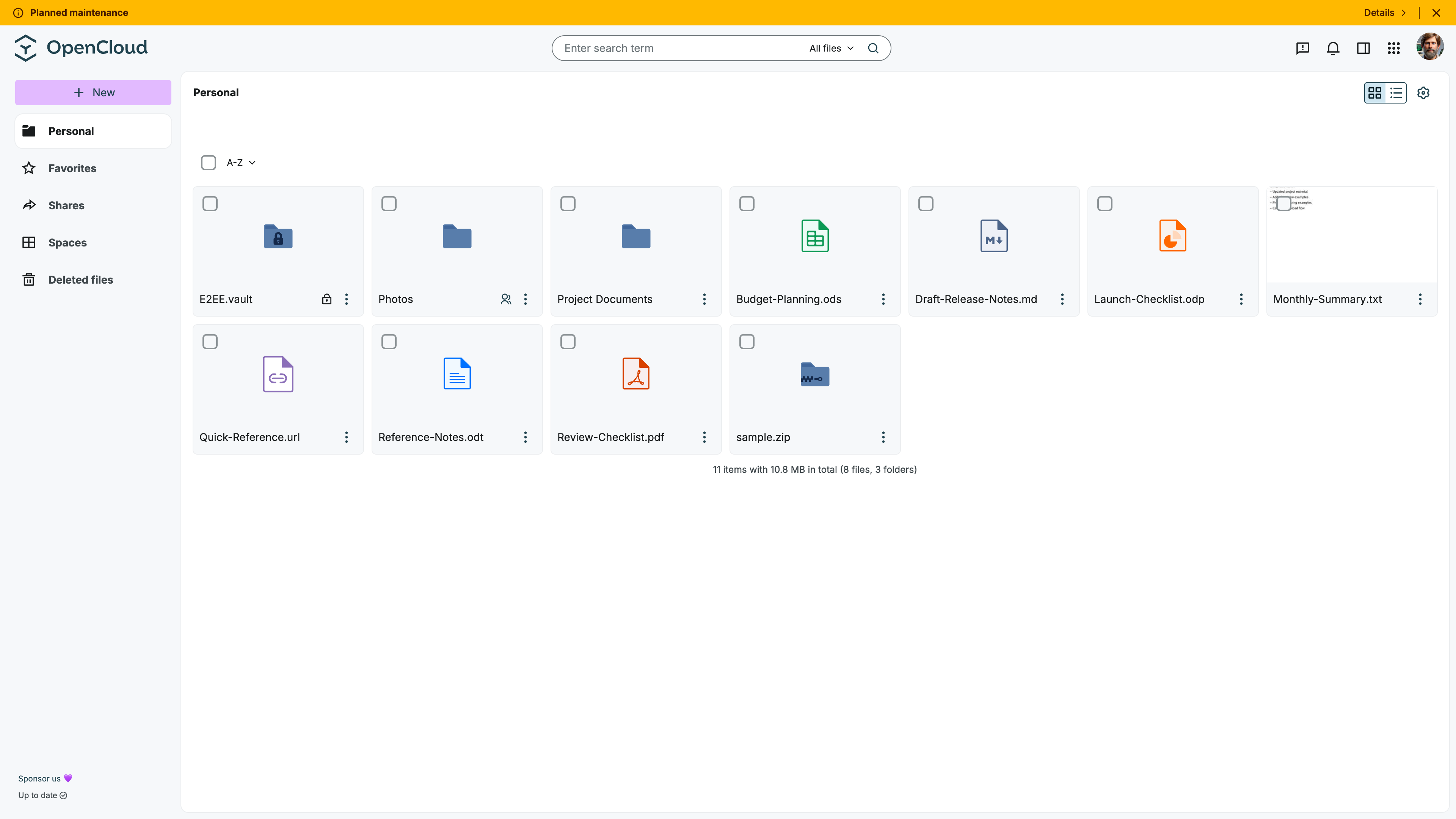
Users can open the banner to view the full announcement text in a pop-up dialog.
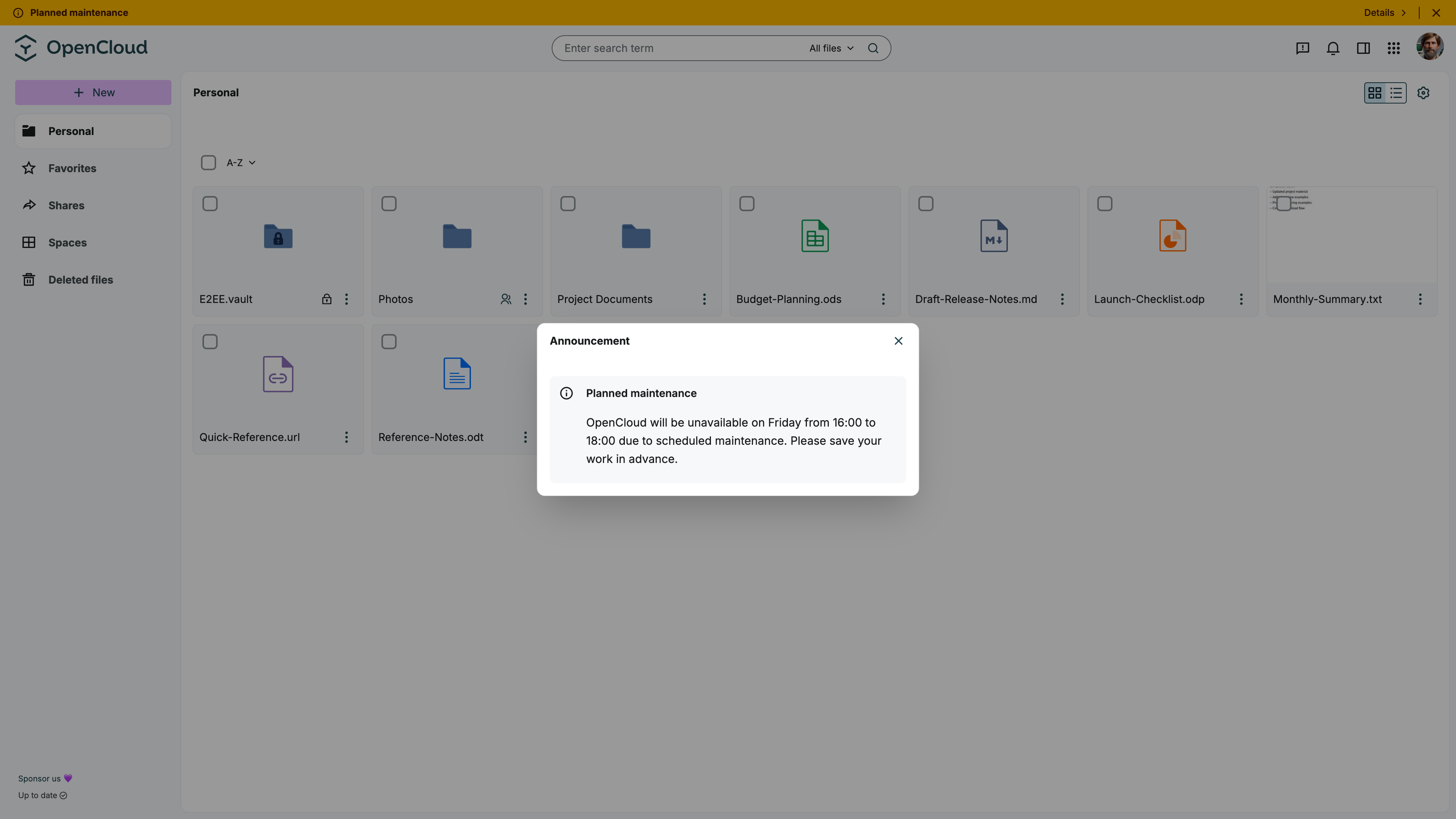
Disable the announcement banner
To hide the announcement banner again:
- Open Admin Settings.
- Go to General.
- Disable Show banner.
- Click Save.
The banner is then removed from the OpenCloud web interface.
The announcement banner is useful for temporary information that should be visible to all users, such as planned maintenance or short-term service notices.