Customize a Space in OpenCloud
You can customize a Space either in the Space overview or inside the Space itself.
Edit description
Click "Edit description". Enter your description in the text editor that opens, then save and close it.
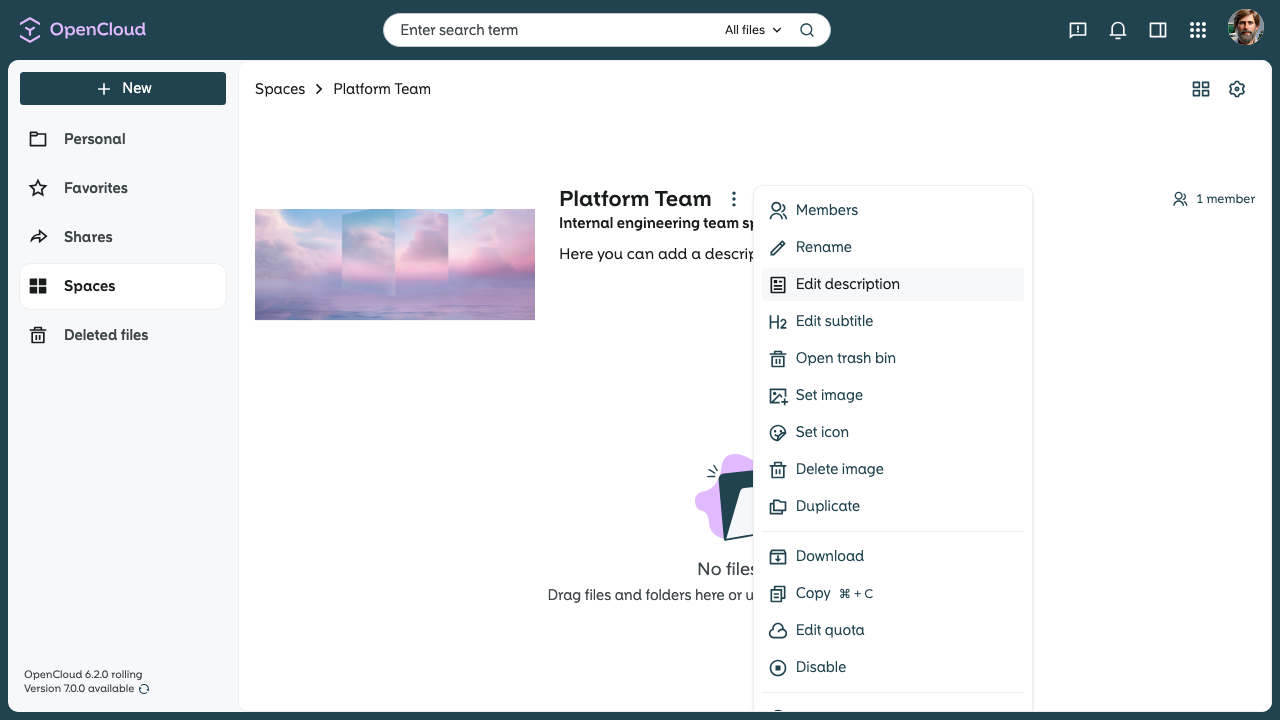
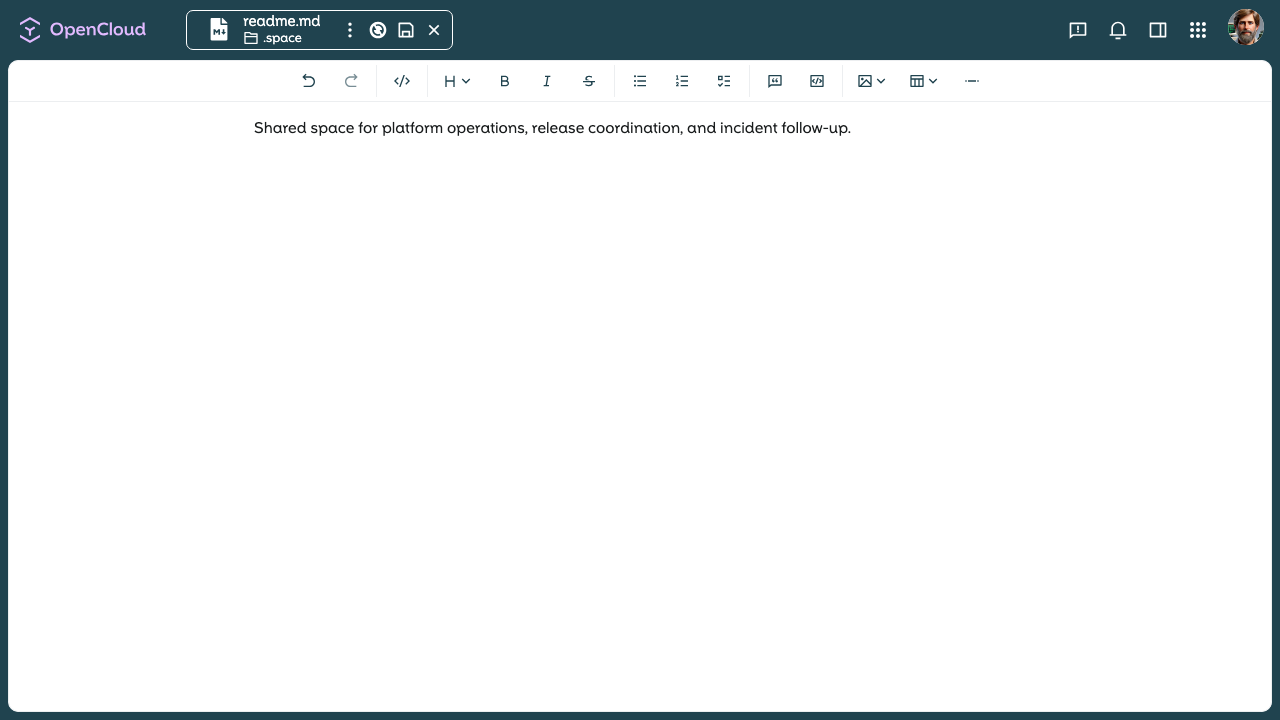
The description can also be edited directly in the Space by clicking the pencil next to it.
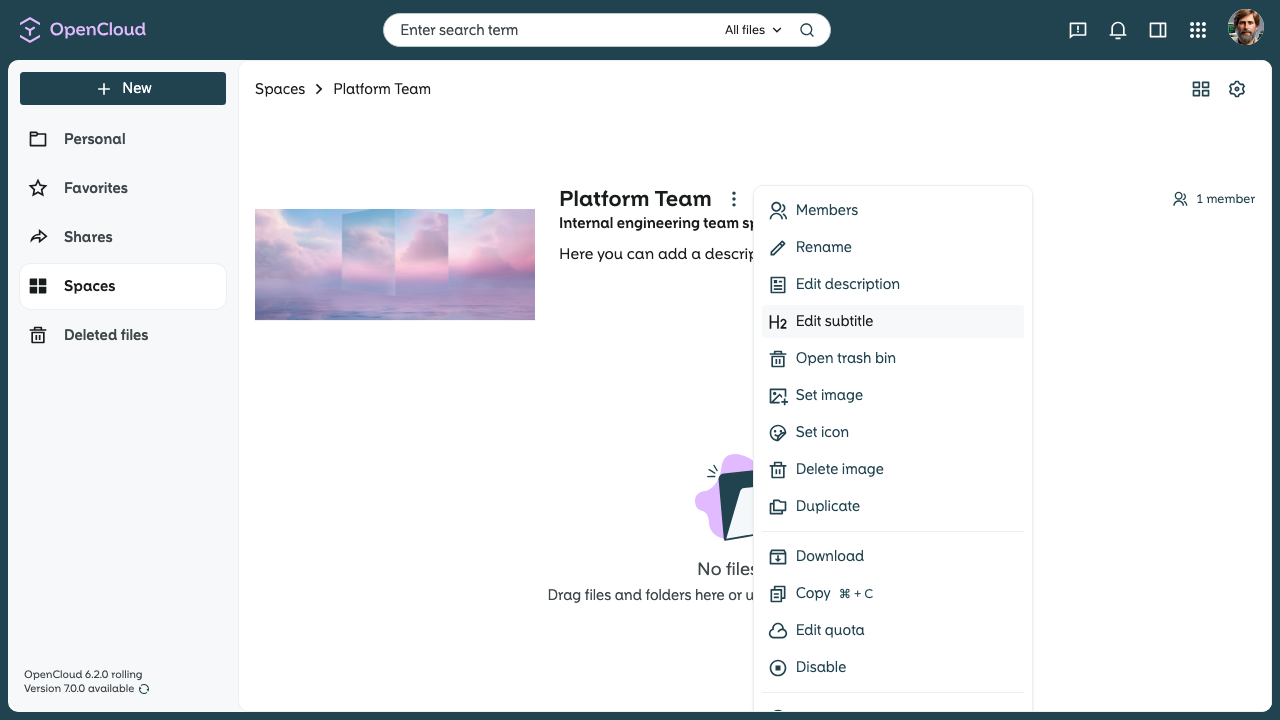
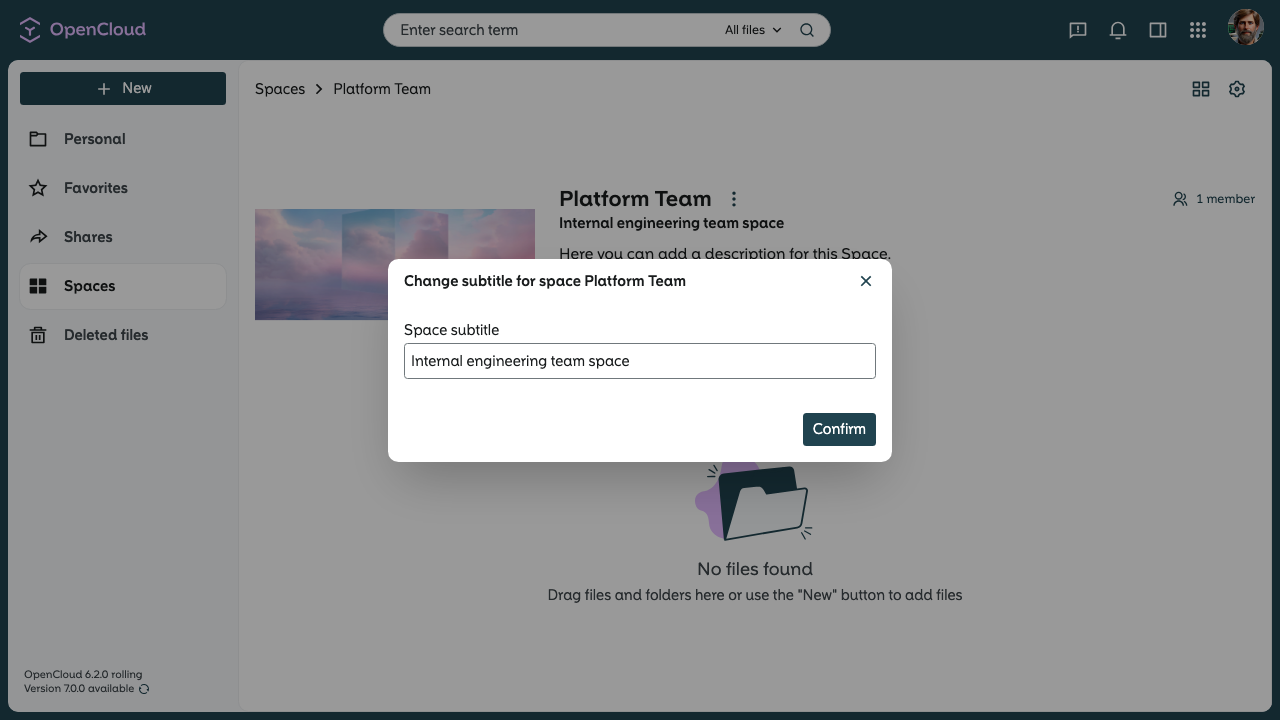
Edit subtitle
Click "Edit subtitle". Enter the desired subtitle in the text editor and save it.
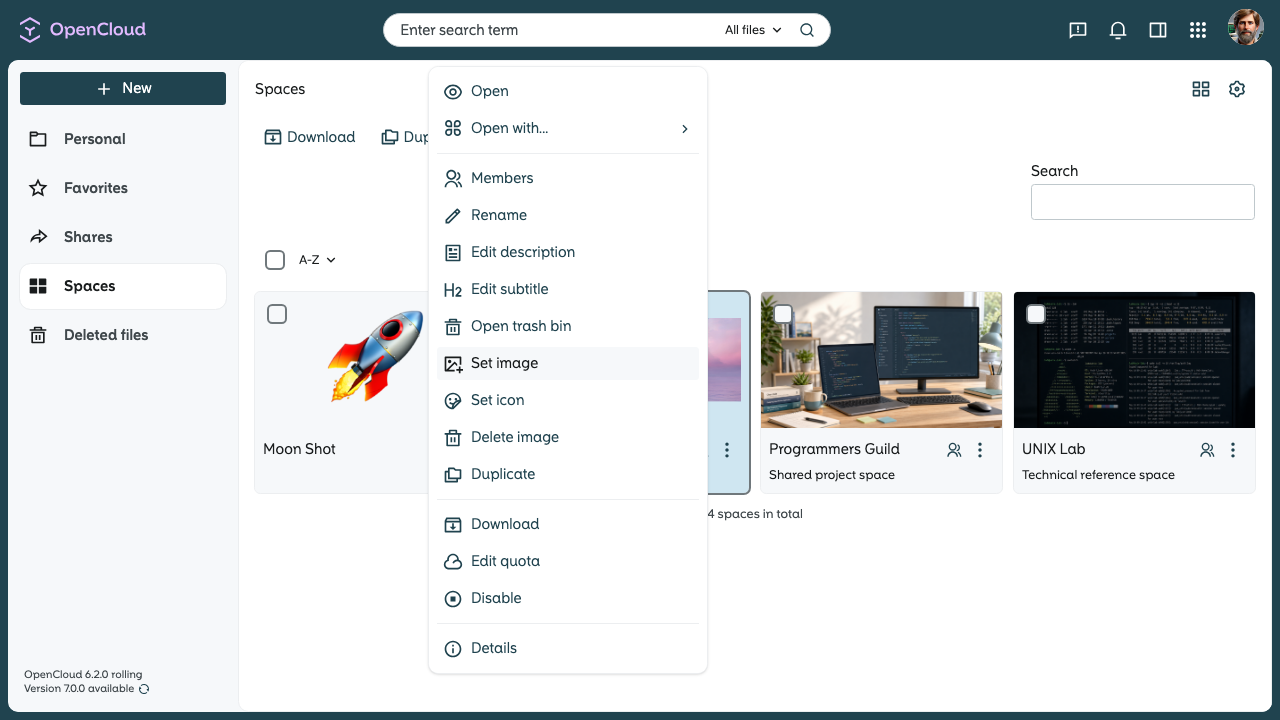
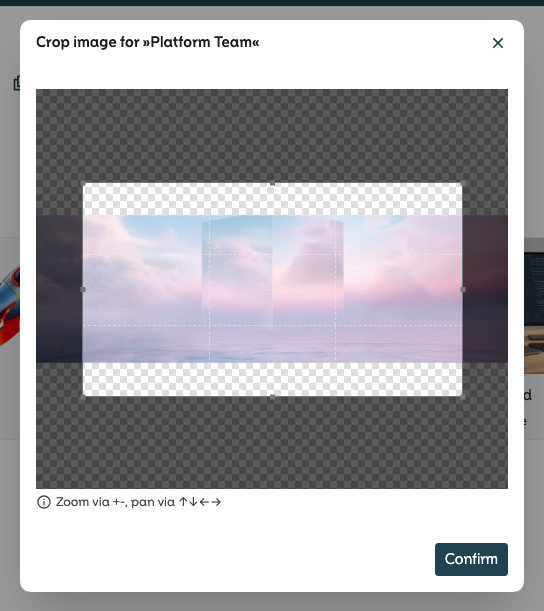
Set image
Click "Edit image" and then choose "Set image". In the window that opens, select the desired image for your Space and confirm. Then select the desired crop area and confirm.

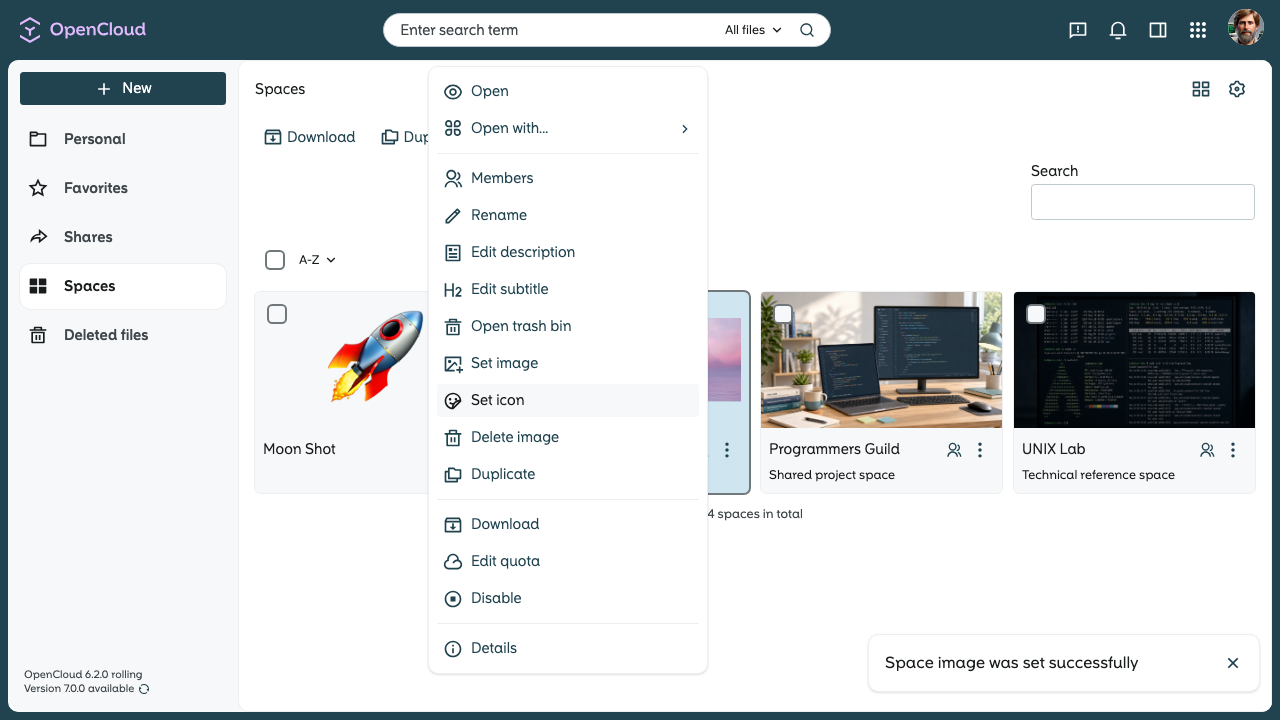
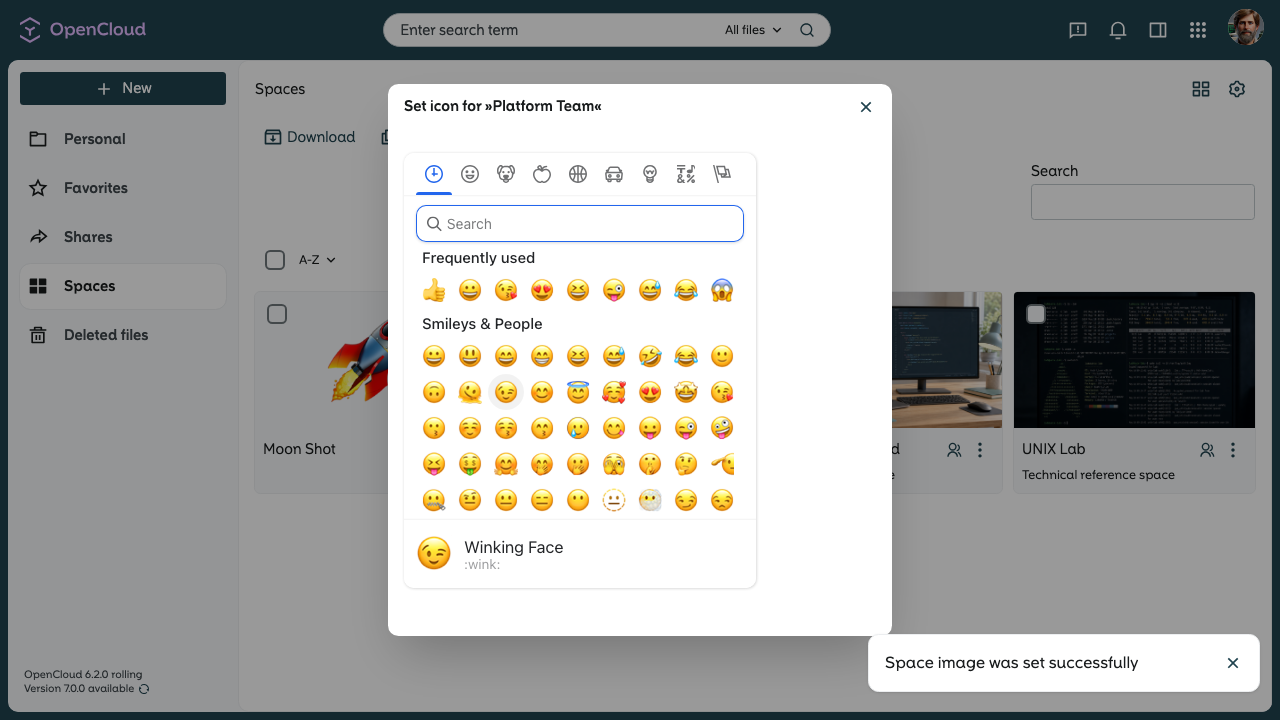
Set icon
Click "Edit image" and then choose "Set icon". In the window that opens, select the desired icon for your Space.
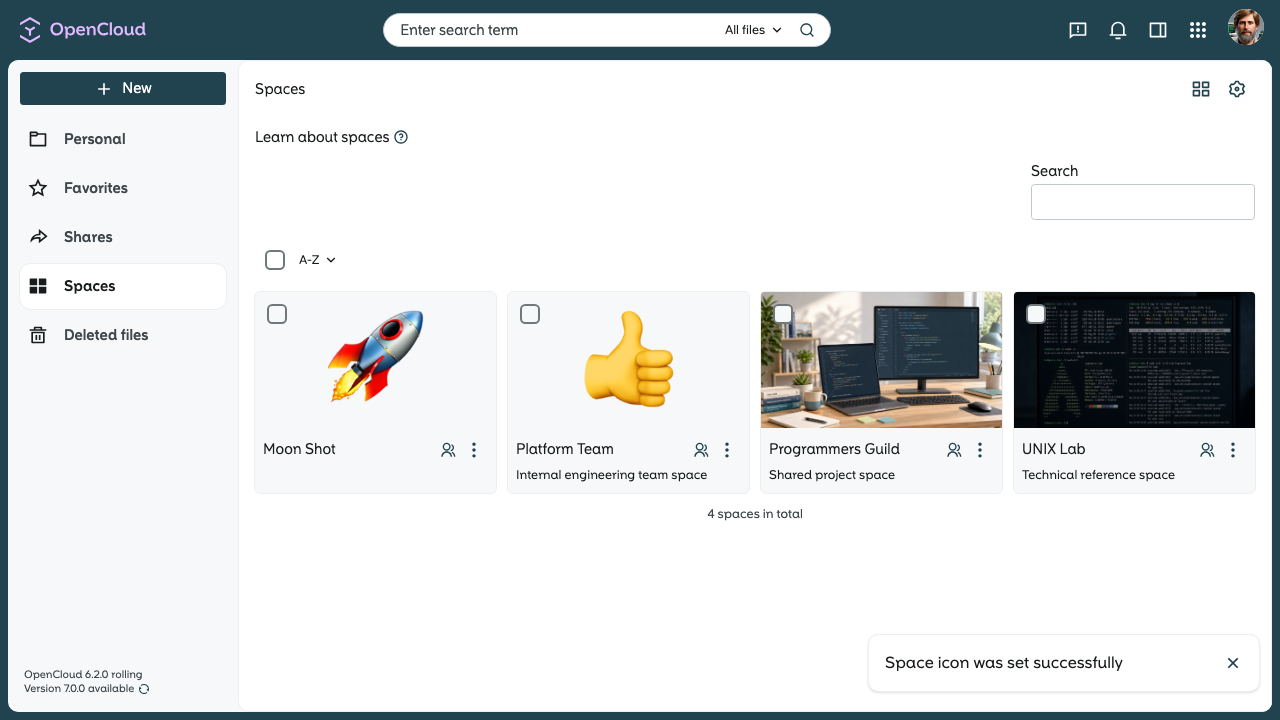
Now you know how to customize a Space.