Favorites
Introduced in OpenCloud 6.0.0, Favorites lets you mark frequently used files and folders for quicker access in the Web Client.
Favorite items are stored server-side, shown in a dedicated Favorites page and are also visible in search results and file lists. The feature works across personal and project spaces, including subfolders.
Mark an item as a favorite
-
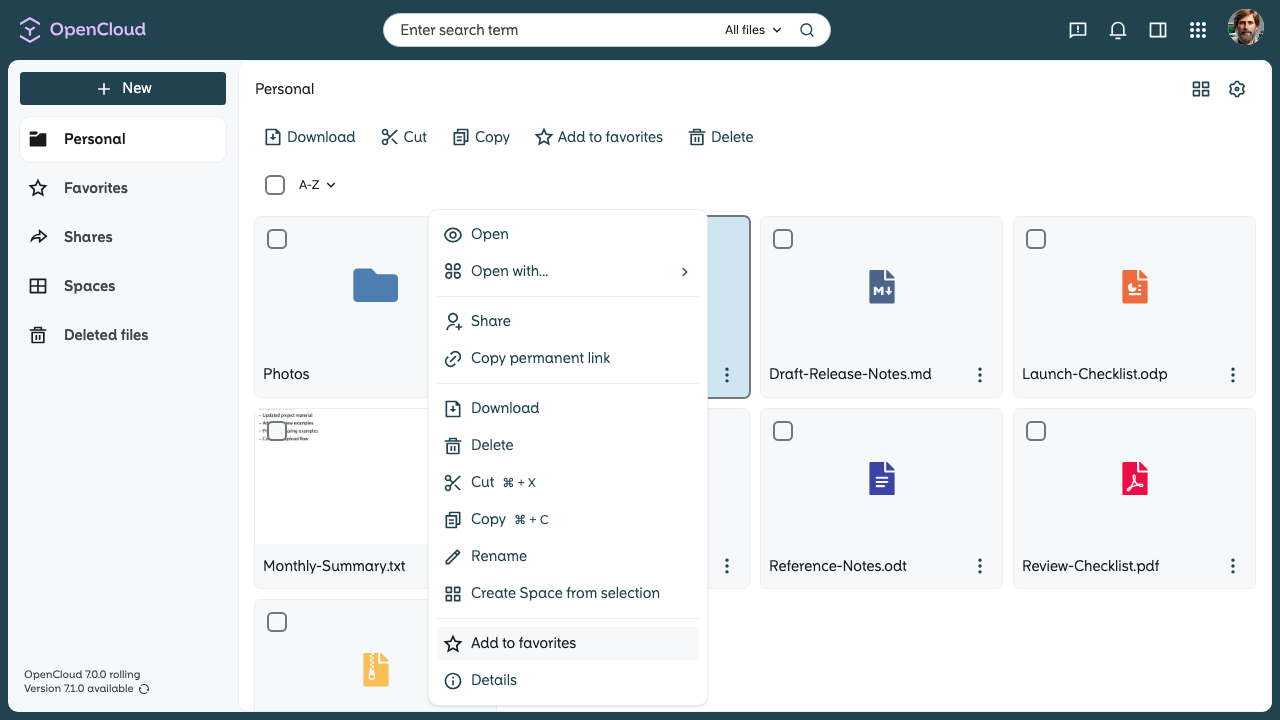
Open the context menu for a file or folder.
-
Choose "Add to favorites" in the context menu or in the batch actions.
-
The item is added to your favorites immediately.
Open your favorites
-
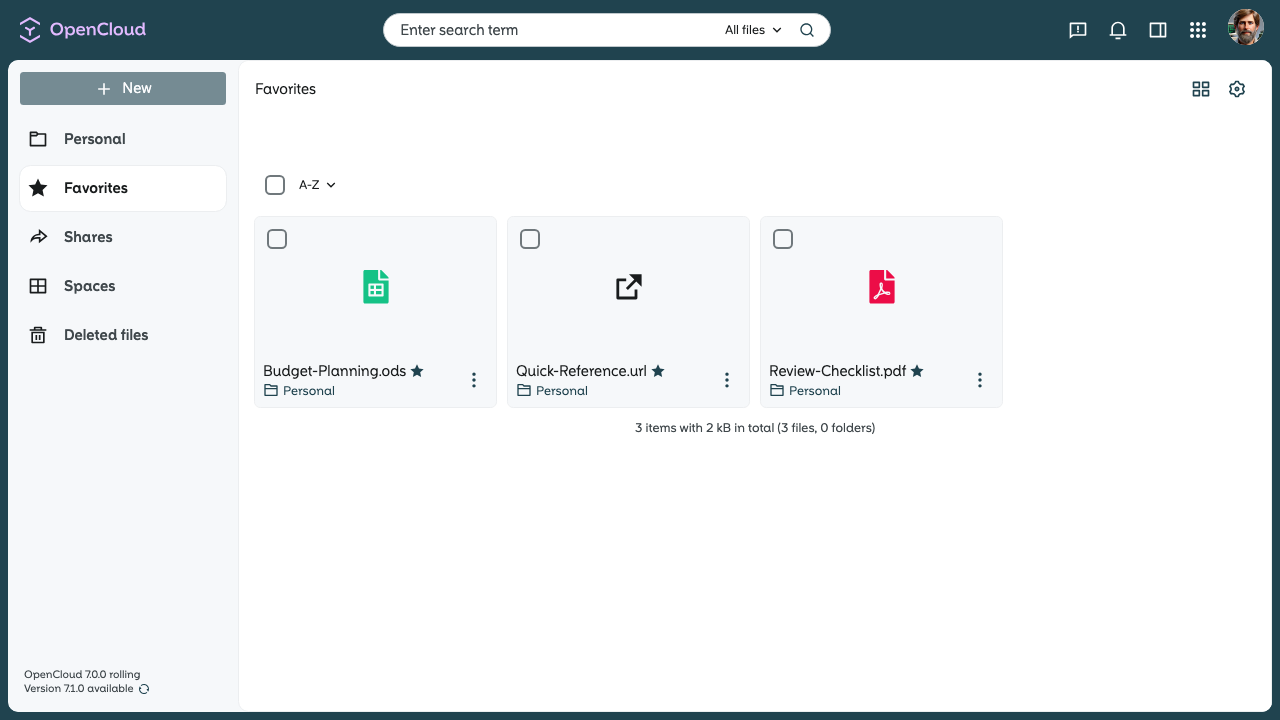
Open Favorites from the left sidebar in the Web Client.
-
The favorites page shows items from the personal space together.
Remove a favorite
-
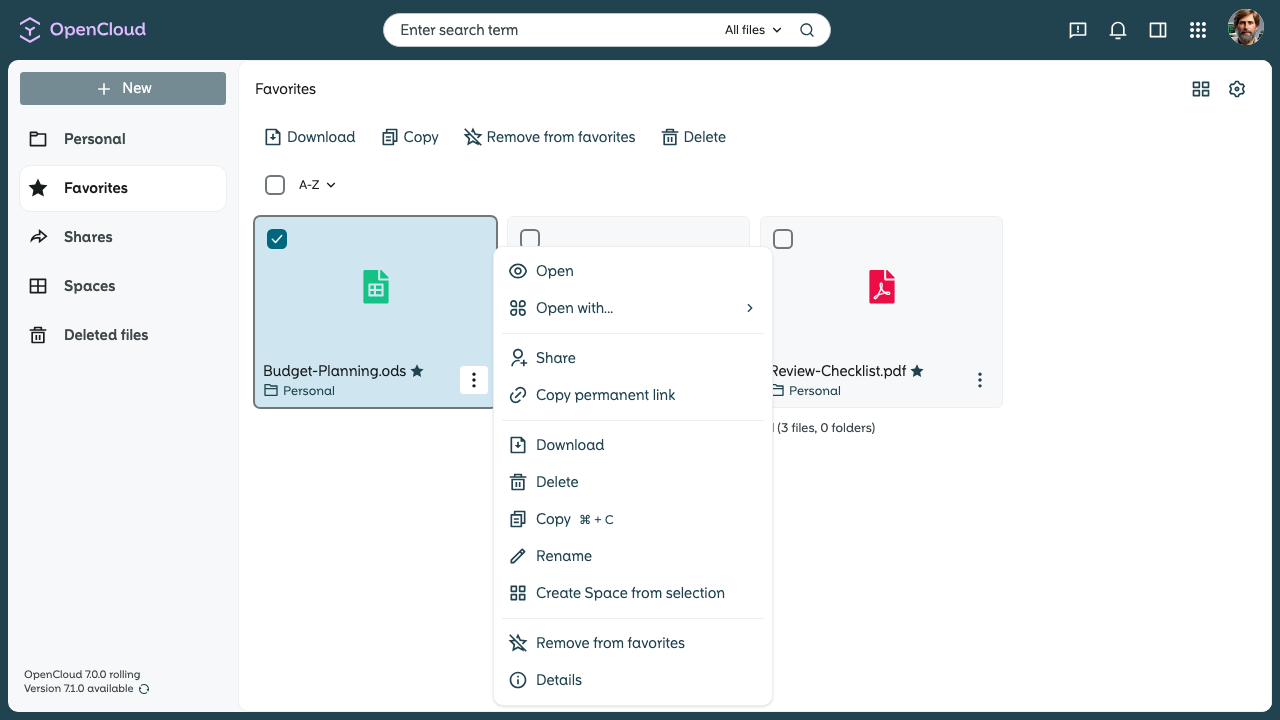
Open the context menu again.
-
Choose "Remove from favorites" in the context menu or in the batch actions.
-
The item is removed from your favorites.
Spaces themselves cannot yet be marked as favorites.