Managing versions of files in OpenCloud
OpenCloud saves different versions of files. This allows you to restore or download previous versions:
View and restore versions
-
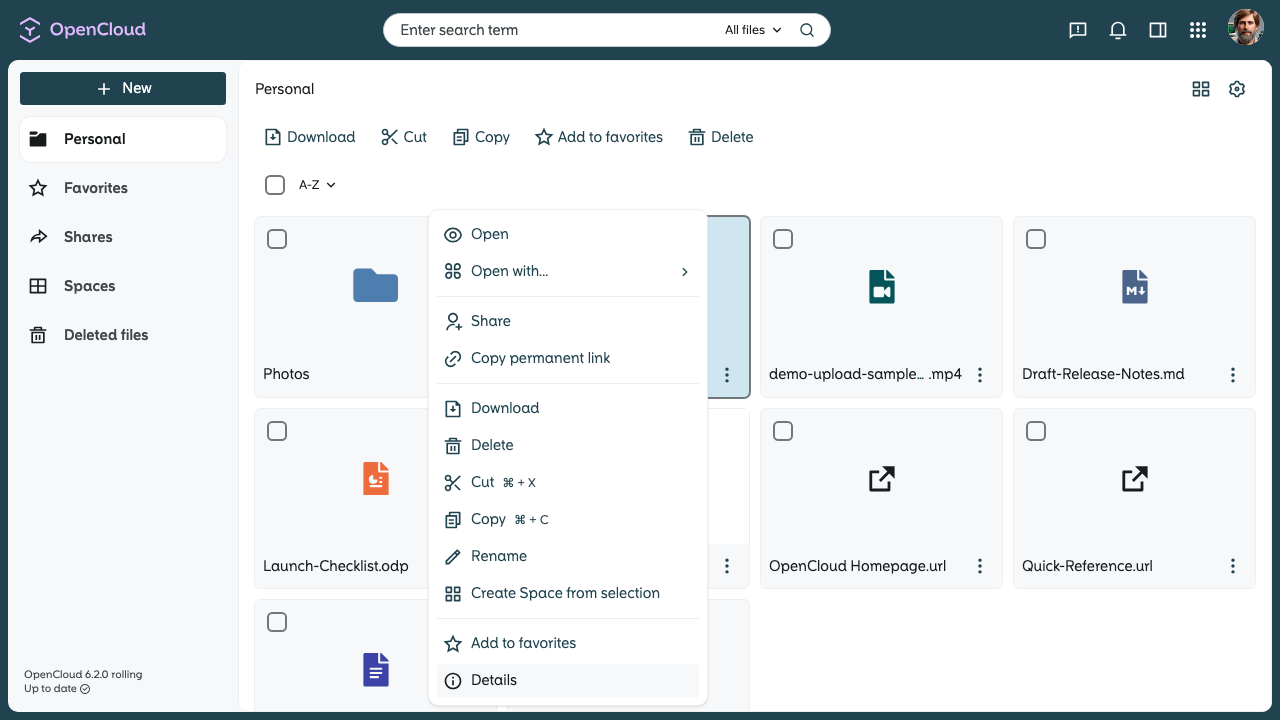
Open details
- Right-click on the file
- or click on the three dots in the corresponding file line.
- Select “Details” from the context menu.
-
Select versions
- In the right sidebar that opens select the “Versions” item.
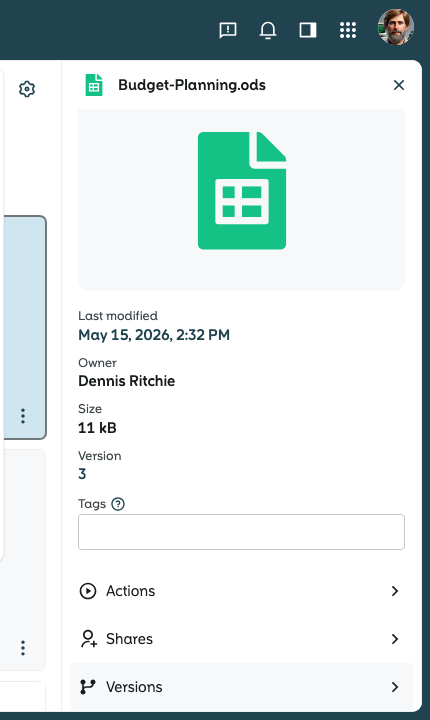
- In the right sidebar that opens select the “Versions” item.
-
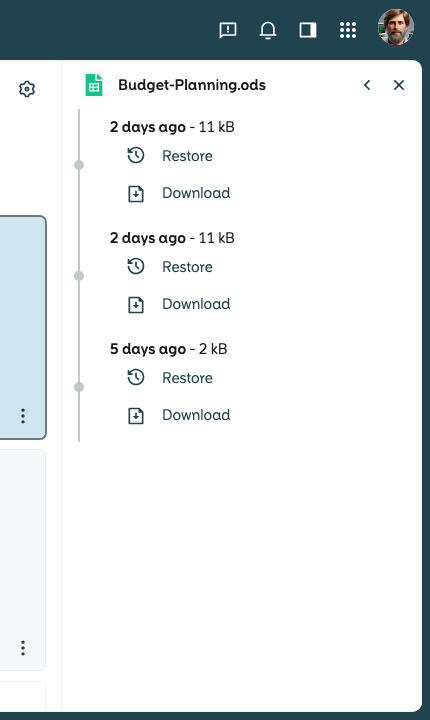
Show versions
-
All versions of the file are displayed.
-
You can now restore or download the desired version.
-
These steps give you access to older versions of your files at any time!